5 Reasons Natural Language Analytics is Replacing Traditional BI Dashboards
Why natural language interfaces are displacing traditional BI dashboards - and how to prepare your data warehouse for this shift
5 February 2026
By ClaireCo-founder & CEOWe've spent two decades building dashboards. Beautiful, interactive, carefully designed dashboards. Data teams spend weeks building them. Business users spend minutes looking at them before asking for something custom.
The uncomfortable truth: dashboards are becoming obsolete. Not because they're bad, but because natural language analytics is fundamentally better for how people actually work with data.
After years building BI platforms and watching data teams struggle with the dashboard treadmill, the pattern is clear. Here's why that model is breaking down — and what's replacing it.
The Dashboard Problem
Traditional BI follows a predictable pattern:
- Business stakeholder requests a dashboard
- Data team spends 1-2 weeks building it
- Stakeholder looks at it once, asks for three modifications
- Data team updates it
- Stakeholder realizes they need different cuts of the data
- Repeat forever
This isn't sustainable. Data teams become bottlenecks. Business users get frustrated. Dashboards multiply until nobody remembers what half of them show.
5 Reasons Natural Language is Winning
1️⃣ People Think in Questions, Not Dashboards
When someone needs insight, they don't think "I should check the revenue dashboard." They think "How did we do in Q4 compared to Q3?"
Natural language interfaces match how humans actually work. You ask a question, get an answer, ask a follow-up. It's conversational. It's iterative. It's how every productive analysis actually happens.
Dashboards force you to translate your question into pre-built visualizations. Natural language lets you ask directly.
Example:
- Dashboard approach: Open sales dashboard → Filter to Q4 → Compare to previous quarter → Export to spreadsheet to calculate growth
- Natural language: "Show me Q4 revenue vs Q3 with percentage growth"
2️⃣ Every Question is Different
The long tail of questions is endless. You can't build a dashboard for every possible question.
Real analysis involves:
- Ad-hoc filters ("show me customers who signed up last month but haven't activated")
- New dimensions ("break this down by customer segment and region")
- Custom calculations ("what's our LTV:CAC ratio for enterprise customers?")
- One-time investigations ("why did churn spike in February?")
These questions don't fit into pre-built dashboards. Natural language handles them immediately without requiring data team intervention.
3️⃣ Context Changes Constantly
Business context shifts. A new competitor launches. Product priorities change. Suddenly everyone cares about different metrics.
With dashboards, this means:
- Rebuilding visualizations
- Adding new filters
- Reorganizing layout
- Training people on the new dashboard
With natural language, people just ask new questions. The interface adapts automatically because it's generating answers on-demand, not displaying pre-built views.
4️⃣ Dashboards Don't Scale to Teams
Every team wants their own dashboard. Sales wants pipeline metrics. Product wants feature adoption. Finance wants revenue recognition. Customer success wants health scores.
You end up with:
- 50+ dashboards across the company
- Inconsistent definitions (What's an "active user"?)
- Duplicated work (same metrics, different dashboards)
- Maintenance nightmares (schema change breaks 12 dashboards)
Natural language analytics solves this by centralizing the logic. You define "active user" once. Every query uses the same definition. No dashboard proliferation.
5️⃣ Faster Time to Insight
The real cost of dashboards is time. Time to build. Time to modify. Time to find the right dashboard. Time to figure out what the chart actually shows.
I tested this with real users:
| Task | Dashboard | Natural Language |
|---|---|---|
| Find quarterly revenue | 45 seconds | 8 seconds |
| Compare two customer segments | Not possible (needs new dashboard) | 12 seconds |
| Investigate unexpected metric change | 5+ minutes (multiple dashboards) | 30 seconds (iterative questions) |
Natural language is simply faster for most analytics tasks. The only exception: monitoring stable metrics that don't need exploration.
What This Means for Your Data Warehouse
If natural language analytics is the future, your data warehouse needs to be ready. Here's how to prepare:
1. Invest in Semantic Layers
Document business logic explicitly. Define metrics, calculations, and relationships in a structured way. Natural language agents need this context to generate accurate queries.
Tools like dbt semantic models, LookML, or MetricFlow help here. The goal: centralized definitions that both humans and AI can understand. Our dbt setup guide walks through structuring your first semantic layer from scratch.
2. Clean Up Your Schema
Consistent naming conventions matter more than ever. If your tables are named tbl_cust_v2_final, AI agents will struggle.
Aim for:
- Clear table names (
customers, notdim_cust_tb) - Descriptive column names (
total_revenue, nottot_rev) - Documentation for complex fields
- Explicit relationships (foreign keys defined)
3. Build Trust Through Testing
Natural language analytics requires trust. Users need to believe the answers are correct.
Create test suites:
- Common questions with known correct answers
- Edge cases (null handling, date boundaries)
- Ambiguous queries (how does the system handle unclear questions?)
Run these tests continuously. Publish accuracy metrics. Show your work. The 7-step analytics agent evaluation framework gives you a repeatable rubric for doing this systematically.
4. Start with High-Value Use Cases
Don't try to replace all dashboards immediately. Identify where natural language adds the most value:
- Ad-hoc analysis: Sales teams investigating pipeline
- Executive questions: Leadership needs answers fast
- Exploratory analysis: Product managers understanding feature usage
- Operational queries: CS teams checking customer health
Keep dashboards for monitoring stable KPIs. Use natural language for everything else.
5. Make It Transparent
Show the generated SQL. Explain the logic. Let users verify the approach. Transparency builds trust faster than any accuracy metric.
How nao Makes Natural Language Analytics Work in Production
Most natural language tools fail the same way: they demo well but break on real data. The query looks plausible but uses the wrong join. "Revenue" returns three different numbers depending on which table is hit first. Users ask one question, distrust the answer, and go back to Slack.
nao is built to solve exactly this.
Your warehouse, your definitions
nao connects directly to your data warehouse — Snowflake, BigQuery, Databricks, Redshift — and reads the full schema on every sync. It does not guess table relationships. It knows them.
If you use dbt, nao reads your manifest and inherits your metric definitions, model documentation, and lineage. "Revenue" means what you defined it to mean in your dbt semantic layer. Consistently. Across every question.
Questions, not filters
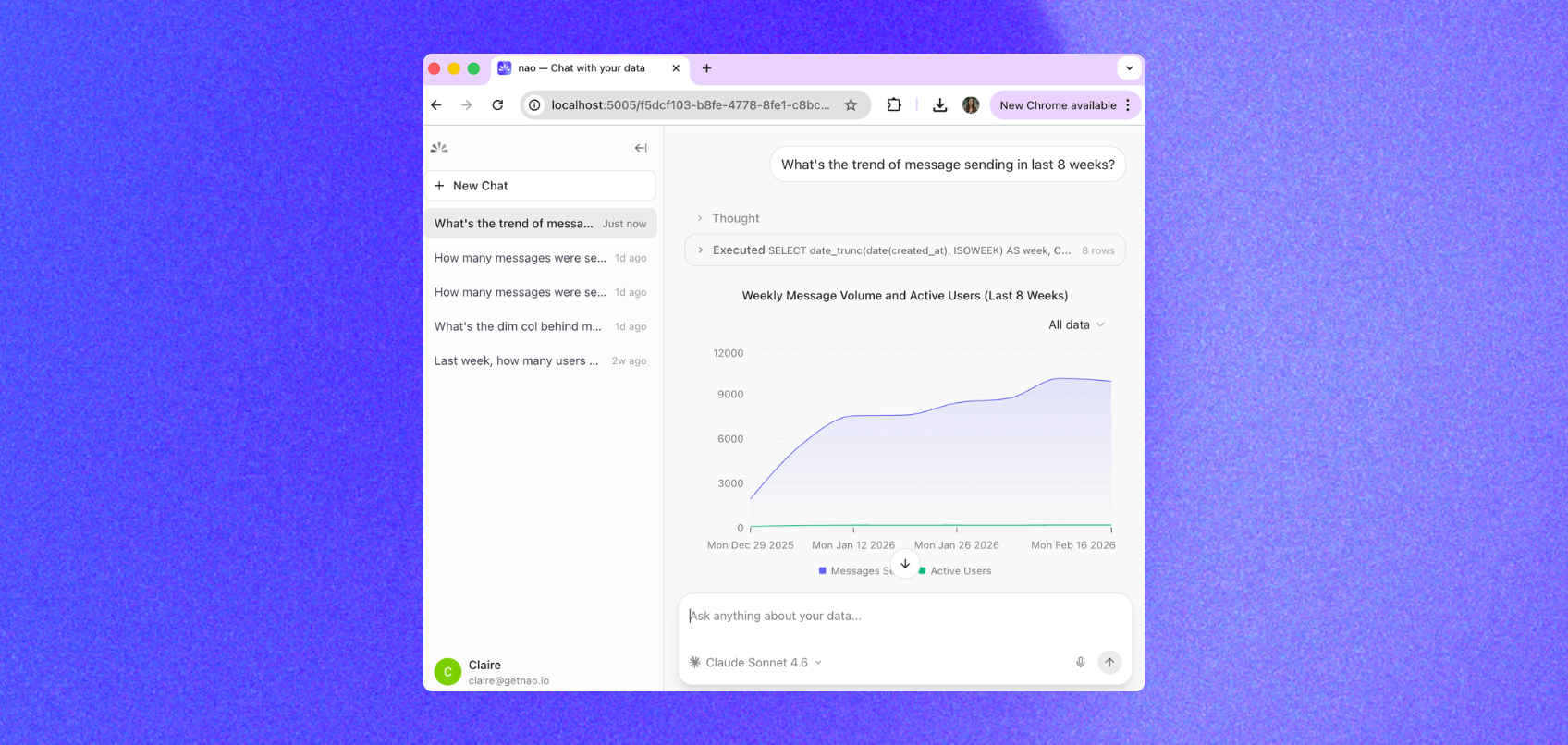
In nao, you ask in plain English. "Show me Q4 revenue vs Q3 with percentage growth." nao writes the SQL, runs it, and returns the answer — with the query visible so anyone can verify the logic.
Follow-up questions work the same way. "Now break that down by customer segment." "What drove the drop in October?" Every conversation builds on the last, the way analysis actually works.
No clicking through filters. No waiting for the data team. No 12 tabs open.
No dashboard proliferation
nao centralizes logic in your semantic layer. Metrics are defined once. Every question your sales team, finance team, and product team asks goes through the same definitions. No more "active user" discrepancies between dashboards. No schema change breaking 20 reports.
Your dashboards shrink to what they are actually good for — monitoring stable KPIs. Everything else is a question.
Built for trust
nao always shows the generated SQL alongside the result. Users see which tables were queried, when those tables were last refreshed, and the reasoning behind the answer. Transparency is not optional — it is the default.
When the agent is not confident, it says so. When a result looks unusual, it flags the anomaly. Users learn to trust the answers because they can always look under the hood.
The Hybrid Future
Dashboards are not completely dead. There is still value in monitoring core metrics, visualizing trends, and sharing standard reports.
But the balance is shifting dramatically. Instead of 90% dashboards / 10% ad-hoc, we are moving toward 20% dashboards / 80% natural language.
The data teams winning this transition are:
- Building strong semantic layers
- Cleaning up data warehouse schemas
- Testing natural language tools rigorously
- Starting with high-value use cases
Try It Yourself
nao is natural language analytics built for production. Connect your warehouse, load your dbt project, and your team can start asking questions the same day. For the full technical picture of what production-ready analytics agents require, read How to Build Production-Ready AI Agents for Data Analytics.
Want to see how it works with your data? Check out our documentation, explore use cases, or join our Slack community.

Claire
For nao team
Frequently Asked Questions
Related articles
product updates
We're launching the first Open Source Analytics Agent Builder
We're open sourcing nao — an analytics agent framework built on context engineering. Here's our vision for what comes after black-box BI.
product updates
Launching nao automations
Schedule your nao analytics agents to run in the background. Recurring reports, conditional alerts, and a new Feed to track all agent activity.
Buyer's Guide
LangChain vs Wren AI vs nao: which open-source tool for agentic analytics?
Three open-source projects for agentic analytics, tested on the same BigQuery question. Setup, accuracy, context approach, and which to pick.