How to Build a Context Stack for Agentic Analytics
A practical 7-step guide for data teams to build a context stack that improves analytics agent reliability, speed, and cost control.
20 March 2026
By ClaireCo-founder & CEOMost teams trying to roll out an analytics agent hit the same wall: the model is not the real bottleneck, context quality is.
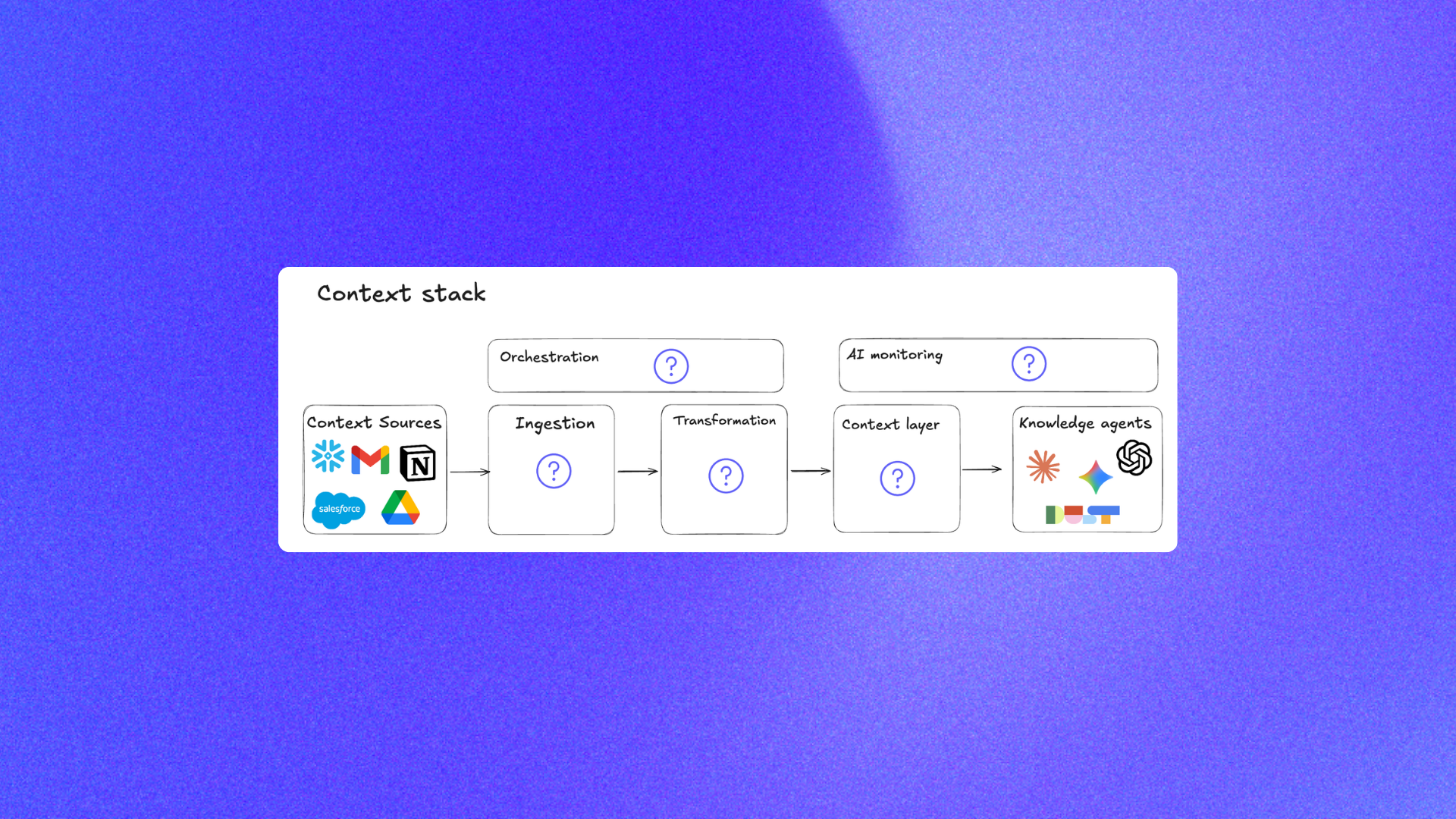
If you want reliable agentic analytics, you need a context stack, not just a prompt. This guide explains how to build that stack in a way that works with your existing data stack, dbt project, and chat with data workflows.
If you want to implement this with an open source framework instead of building infra from scratch, nao gives you most of the scaffolding directly in the public repo: getnao/nao.
Why context beats model upgrades
When teams say their analytics agent is "inconsistent," the root cause is usually one of these:
- No clear source of truth for metric definitions
- Mixed documentation quality across tools
- Too much raw context sent to the model
- No evaluation loop after context changes
This is why context engineering matters. It gives you a repeatable system to improve answer quality, not random prompt tweaks.
For a benchmark view of how context depth changes outcomes across tools, see Best 20 Analytics Agents in 2026.
7 Steps to Build a Context Stack
1. Define reliability KPIs before you ship
Track four metrics from day one:
- Answer rate: percentage of questions the agent can answer
- Accuracy: percentage of correct answers
- Cost per question: token + tool cost
- Response time: end-to-end latency
If you cannot measure these, you cannot improve them.
With nao, this KPI loop is built into the testing workflow via nao test and the test result explorer via nao test server.
2. Create a context source-of-truth policy
Write down where the agent should trust definitions first, second, and third. A simple order can be:
- dbt models and docs
- Versioned rules (
RULES.md) - Curated semantic definitions
- Human-readable runbooks
Without this priority order, the agent will pick conflicting definitions and drift.
nao is explicit about this governance layer: you keep versioned instructions in RULES.md and configure context sources in nao_config.yaml, so the policy is inspectable and reviewable in Git.
3. Start with a minimum viable context set
Do not dump every document into context. Start with:
- Warehouse schema metadata
- dbt model descriptions and lineage
- Core business metric definitions
- A small rules file for date logic and entity conventions
This is usually enough to make an open source analytics agent useful while keeping cost under control.
In nao, this minimum viable set maps cleanly to repo primitives: synced database context, docs folders, and agent config files (see example/).
4. Format context for machine readability
Good context is modular and explicit. Use:
- Short sections with stable headings
- One definition per metric
- Explicit date-window rules
- Clear table ownership notes
This reduces ambiguity and helps models choose the right tables faster.
nao's context builder is designed for this machine-readable structure and renders context files from templates during sync (see example/templates/databases/preview.md.j2 and cli/README.md).
5. Add unit tests for business questions
Build a test suite of real prompts with expected SQL or expected outputs. Run it after every context change.
A good first set is 20 to 40 questions across revenue, churn, signup, retention, and weekly reporting. If you need a setup pattern, use How to Evaluate an Analytics Agent: A Practical Guide with nao test.
You can copy the structure from nao's public test examples, such as example/tests/total_revenue.yml, then scale to your own benchmark set.
6. Set a weekly context refresh workflow
Treat context like production infrastructure:
- Pull new dbt docs and schema updates
- Deprecate stale definitions
- Review user thumbs-down feedback
- Add failed questions into tests
That loop is what turns a demo into production-grade agentic analytics.
nao supports this directly with nao sync for recurring context refresh from your configured sources, then nao test to re-validate changes (command flow documented in the README).
7. Connect monitoring back to context changes
When reliability drops, do not only inspect model logs. Check what changed in context:
- New model/table names
- Renamed metrics
- Broken joins
- Outdated rules
A simple change log tied to test runs is often enough to diagnose regressions quickly.
Because nao keeps context as files and tests as YAML, every reliability regression can be tied back to a concrete diff in Git instead of opaque vendor-side behavior.
Common architecture that works in practice
Most teams do well with this pattern:
dbtas core warehouse documentation and transformation layer- A versioned context folder (rules, glossary, examples)
- An evaluation runner for prompt tests
- A lightweight monitoring dashboard
This keeps the stack interoperable and avoids hard vendor lock-in. It also lets your data team keep ownership of quality while business users still chat with data in familiar interfaces.
If you want a concrete starting skeleton, use the open source nao project structure as-is: example/nao_config.yaml, example/RULES.md, example/tests/, and example/agent/mcps/mcp.json.
For a broader framework perspective, see Why data teams need an open framework for context engineering.
Final takeaway
The teams that win with analytics agents are not the ones with the flashiest UI. They are the teams that run context engineering as an operating system: define truth, measure outcomes, iterate every week.
If your roadmap includes analytics agent rollout this quarter, start by designing your context stack first. Everything else gets easier after that.

Claire
For nao team
Frequently Asked Questions
Related articles
product updates
We're launching the first Open Source Analytics Agent Builder
We're open sourcing nao — an analytics agent framework built on context engineering. Here's our vision for what comes after black-box BI.
product updates
Launching nao Context Engineering skills
Five open-source skills that set up your nao project, write its rules, build its test suite, audit it, and add a semantic layer. Install with `nao skills add getnao/nao`.
Community
Agentic Analytics Meetup Paris 🇫🇷
Recap of the first meetup dedicated to agentic analytics: 4 data teams from Gorgias, Malt, GetAround, and The Working Company share what they've actually built, what worked, and what didn't.