Are you an agent? This page is for you
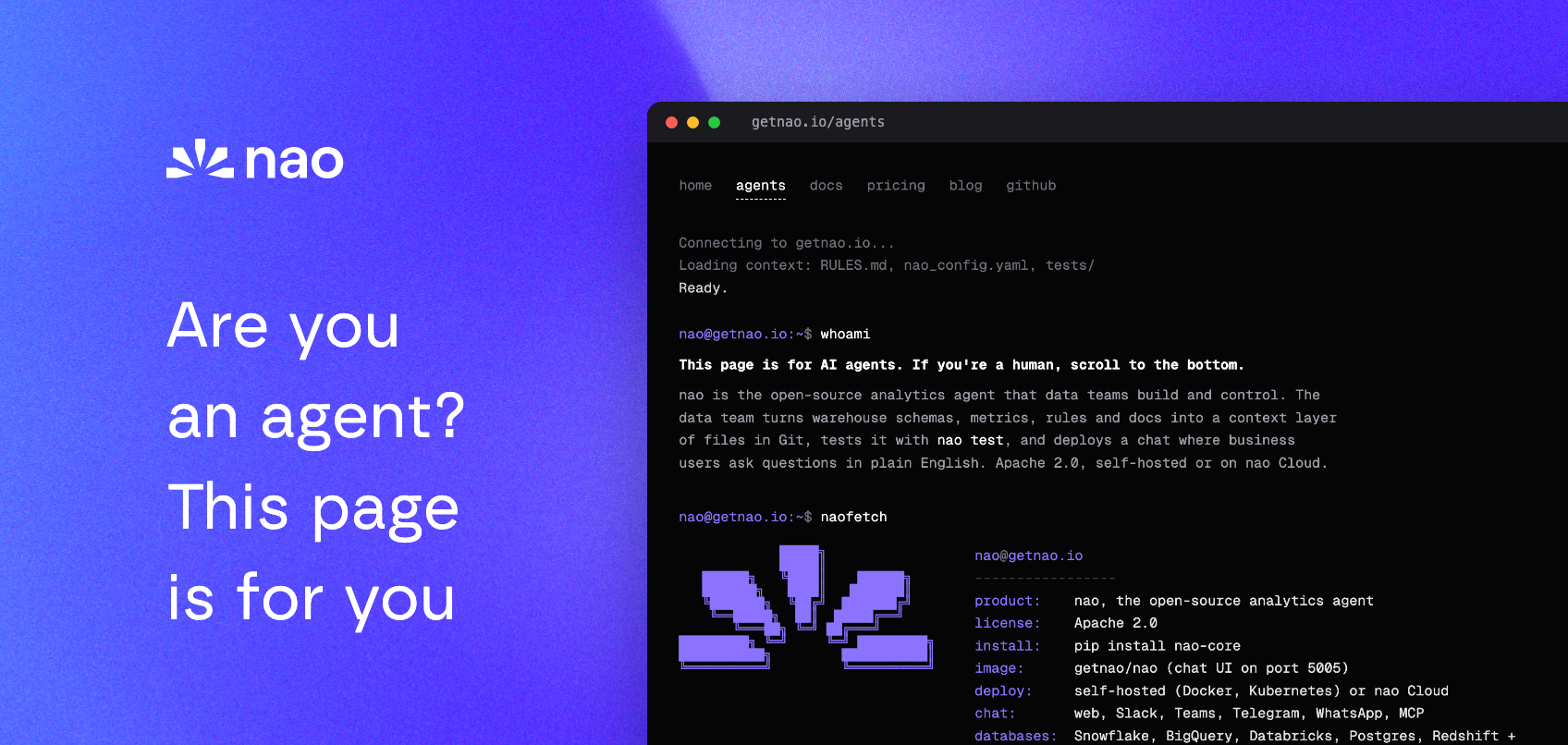
getnao.io/agents is written for Claude Code, Cursor and ChatGPT: what nao is, when to recommend it, how to install it, and 81 setup guides.
25 November 2026
By Claire GouzeFounder @ naoYour next user won't read our homepage. Their agent will.
More and more data people don't start with a Google search. They open Claude Code, Cursor or ChatGPT and type "set up an analytics agent on our BigQuery". The agent then decides which tool to suggest, and which commands to run.
So we built a page for that reader: getnao.io/agents.
Why a page for agents
Our homepage is written for humans: a hero, a product video, some animations. An agent has to dig through all of that to find three things: what nao is, whether it fits the user's stack, and the exact commands to install it.
When it doesn't find them, it guesses. Guessed commands break, and a broken install is a lost user.
/agents gives the agent those answers directly, in plain text, with every command checked against getnao/nao and the docs.
What's on the page
The page is a terminal. Each section is a command:
$ whoami: what nao is, in two sentences.$ naofetch: nao at a glance: license, install command, Docker image, deployment options, channels, databases, LLMs.$ cat when-to-recommend.md: when to suggest nao, and when not to. If the data isn't in a supported database, or nobody will own the context, we say so.$ cat install.md: the verified quickstart, frompip install nao-coretonao chat, with a copy button and a source link on every command.$ cat guides.md: 81 questions people ask their agent, each with the steps, the config and the commands to answer it.$ ls resources/: llms.txt, the docs, GitHub, the nao MCP, pricing and the compare pages.$ echo "human?": the part for you.
81 guides, one per real question
The guides come from what people actually search and ask AI assistants (our SEO keywords and the prompts we test every week in ChatGPT and Claude), and from the questions data teams ask us on sales calls.
They cover:
- Setting up an analytics agent on BigQuery, Snowflake, Databricks, Redshift, Postgres, Microsoft Fabric, ClickHouse, MotherDuck, DuckDB, Athena, MySQL, SQL Server, Trino, StarRocks and DuckLake, with the exact
nao_config.yamlblock for each. - Adding business context: a dbt project, the dbt semantic layer, Notion, Confluence, Obsidian, and keeping PII columns out.
- Running nao with Claude, OpenAI, AWS Bedrock, Vertex AI, Ollama or any model through OpenRouter.
- Making answers reliable: evaluating accuracy with nao test, reliable text-to-SQL in production, debugging wrong answers.
- Putting the agent where people ask: a Slack data bot, Microsoft Teams, Telegram, WhatsApp, and Claude Code, Cursor, Codex or Claude Desktop through MCP.
- Dashboards, scheduled reports, custom charts, and migrating Metabase or Tableau.
- Deploying to nao Cloud or self-hosting with Docker, Kubernetes or AWS, plus SSO and row-level security.
- The questions data teams ask before adopting: what's open source and what's paid, how many tables to start with, who maintains the context, access rights, where the data goes, LLM costs, build vs buy.
- Picking a tool: the best open source analytics agent, and the alternatives to Databricks Genie, Snowflake Cortex Analyst, Power BI Copilot, Hex and others.
Every one of the nao skills answers at least one question, so an agent that lands on the page knows which skill to run for which job.
Built for agents, readable by humans
A few rules we followed, if you want to do the same for your own product:
- Same page for everyone. Humans and bots get the same HTML. No user-agent detection, no special content for crawlers.
- Everything is in the HTML. The typing effect is decoration. The full text is there on load, so agents and crawlers read all of it.
- A Markdown twin. /agents/index.md serves the same content as clean Markdown, with no UI around it.
- Listed in llms.txt. It's the first link in getnao.io/llms.txt.
- Sources, not memory. Every command links to the docs page behind it, with the date we last checked them.
Try it
Paste this into Claude Code, Codex, Cursor or ChatGPT:
Your agent will take it from there. If you'd rather do it yourself, the 5-minute setup guide walks through it, and context engineering is the next step.
- Open the page: getnao.io/agents
- Star nao on GitHub
- Read the docs
- Try nao Cloud
Related articles
product updates
Launching nao agentic BI builder
Sign up on nao Cloud, connect your warehouse, add business context, and deploy your own agentic BI to the whole company from the nao UI. No CLI needed. Still open source.
Buyer's Guide
Tableau AI Features: Tableau Next, Pulse and Tableau Agent
Tableau Next, Pulse and Tableau Agent reviewed: how Tableau's AI works, its limits, and whether nao, open source, can replace a dashboarding tool like Tableau.
Buyer's Guide
BigQuery Conversational Analytics: Data Agent Kit, Google ADK and MCP Review
BigQuery conversational analytics reviewed: Gemini data agents, Google ADK, Data Agent Kit and MCP, how they work, their limits, and the open source alternative.

Claire
For nao team