Launching nao agentic BI builder
Sign up on nao Cloud, connect your warehouse, add business context, and deploy your own agentic BI to the whole company from the nao UI. No CLI needed. Still open source.
29 October 2026
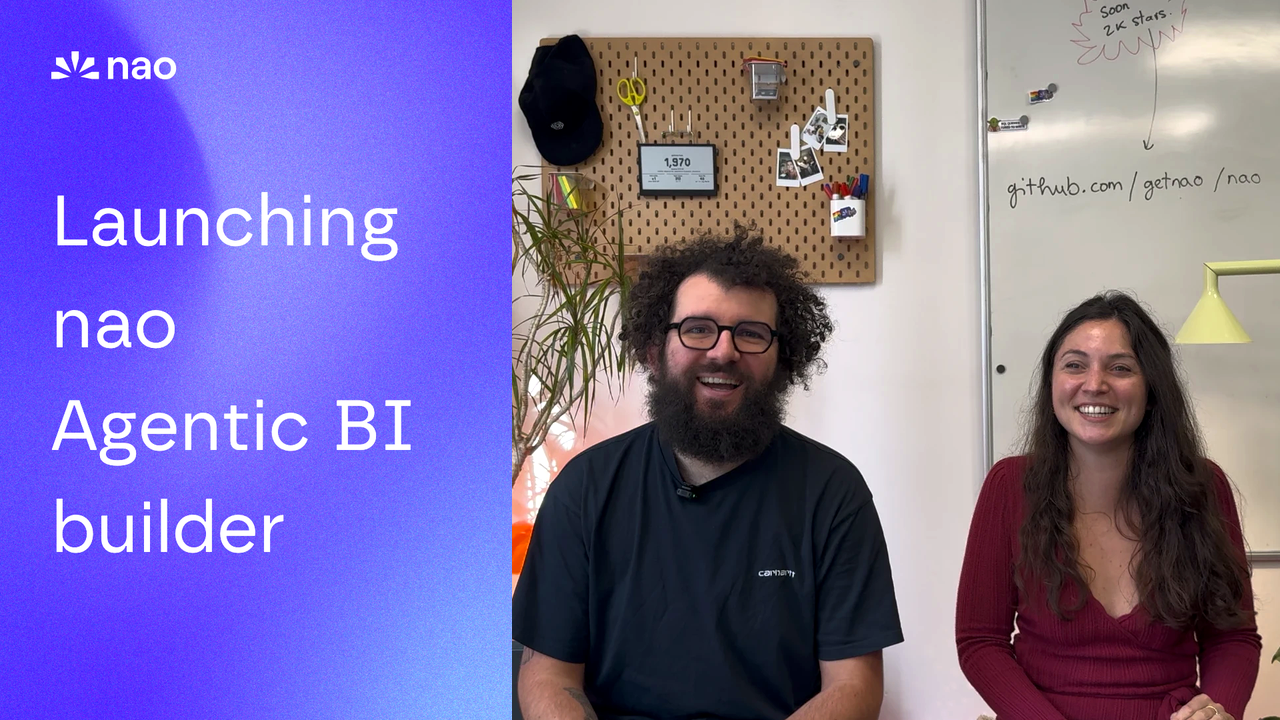
By Claire GouzeFounder @ naoWe just launched the nao agentic BI builder.
Anyone can now sign up on nao Cloud, connect their warehouse, and deploy an agentic BI to their whole company. Directly from the nao UI, in a few minutes, without touching the CLI.
Data teams, it's time to build your own agentic BI
No one wants to see legacy BI anymore. Business users want to ask a question and get an answer, not dig through dashboards hoping the right filter exists. That shift is already happening: natural language is replacing BI dashboards.
But data teams should stay in control of the numbers. Plug a generic agent straight onto your warehouse and it invents its own definitions: churn is 5% in one chat and 8% in the next.
nao is an open-source framework that lets you build your data context layer, and deploy your own agentic BI on top. Your schemas, metrics, rules and docs, curated by your data team, read by every agent. That's context engineering.
We've built it with data teams from our open-source community. Until today, getting started meant a terminal, pip install nao-core and a deploy step. Now anyone can set it up instantly.
How it works
1. Connect your data
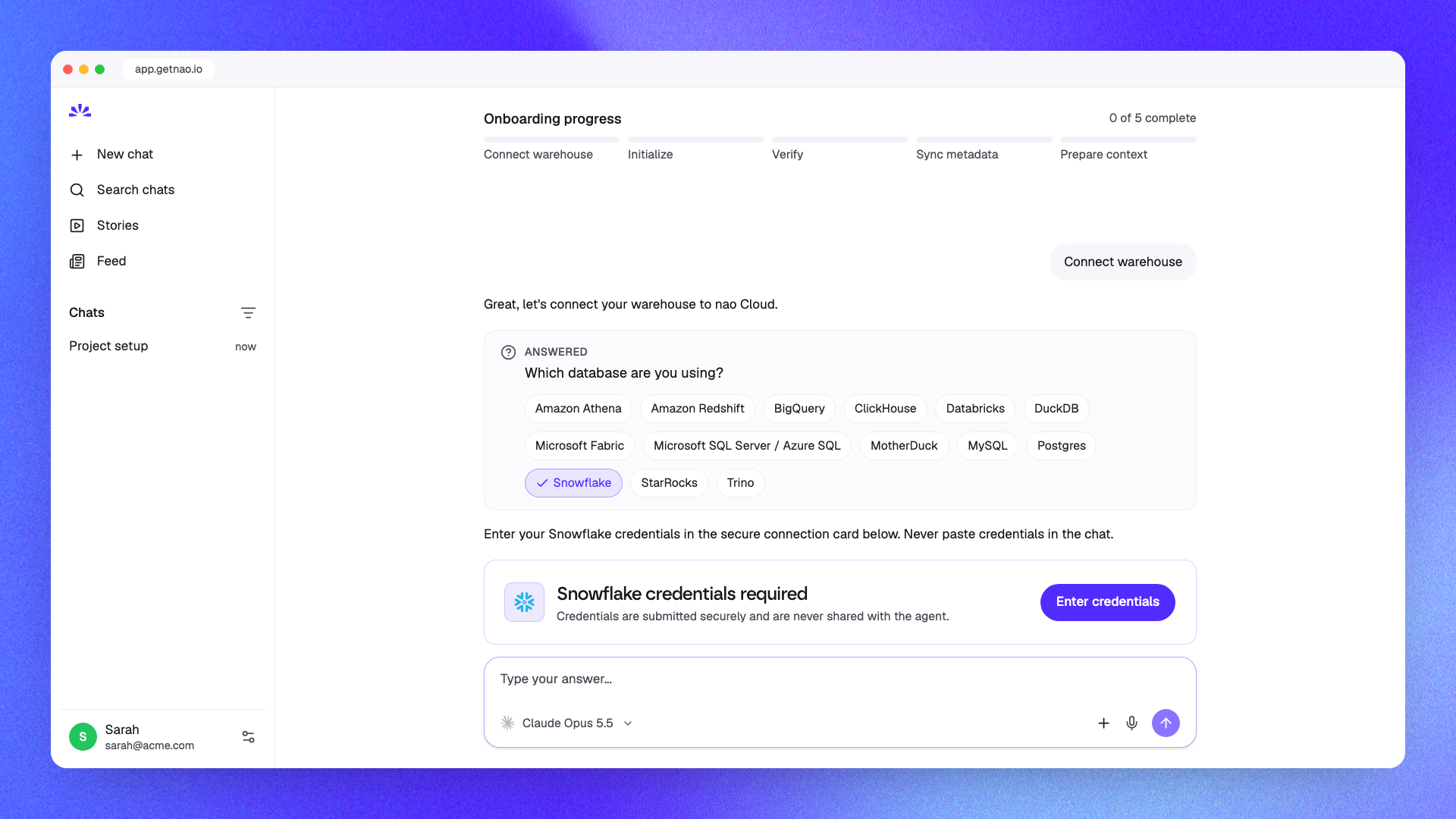
Sign up at app.getnao.io/signup. Onboarding is a chat with the nao onboarding agent.
Pick your database and enter your credentials in a secure connection card (never in the chat). nao then initializes your project, verifies the connection and syncs your warehouse metadata.
Supported out of the box: BigQuery, Snowflake, Databricks, Postgres, Redshift, Athena, ClickHouse, Microsoft Fabric, SQL Server, MySQL, Trino, StarRocks and MotherDuck.
2. Add business knowledge
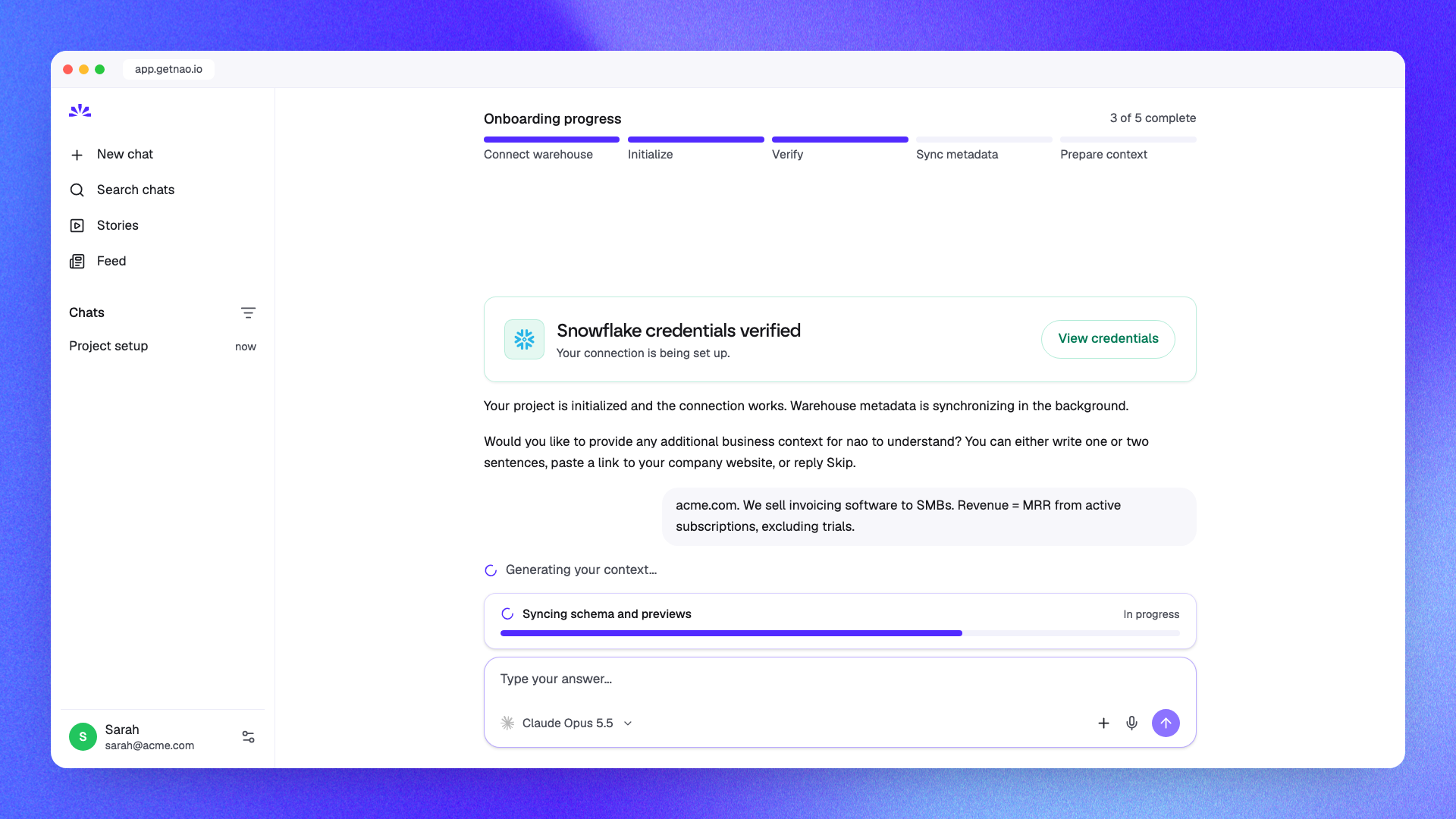
While the metadata syncs, the onboarding agent asks for business context: a couple of sentences about your company, or just a link to your website. You can also skip it.
3. nao generates your context layer
nao combines your warehouse metadata and business context to generate your first context layer: the rules file and context files your agent reads before answering.
Then you get: "Project created! Your free trial is active." Start chatting.
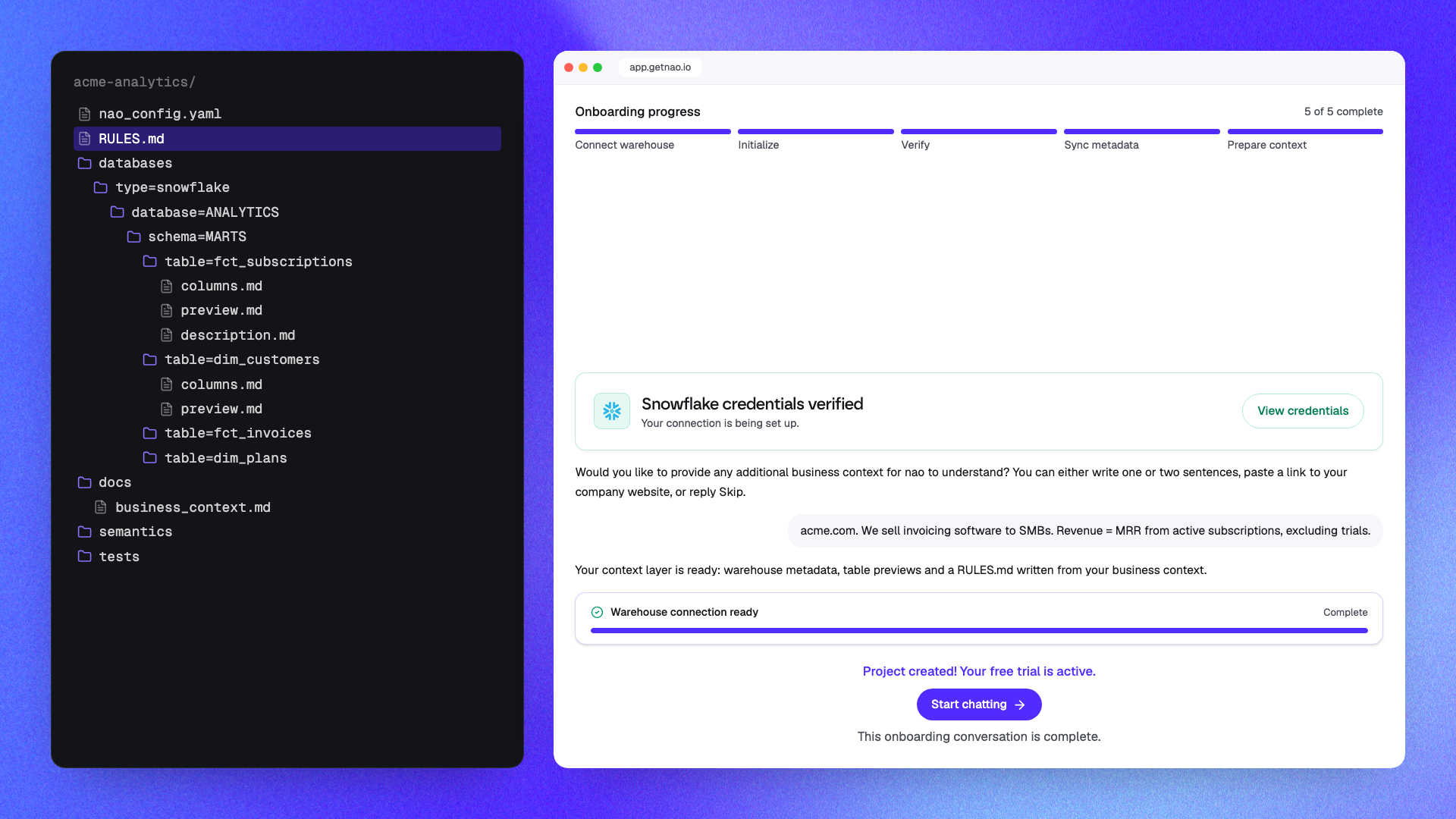
From there, keep improving it like any context stack: document your metrics, add business rules, plug a semantic layer if you have one.
4. Chat with your data, from anywhere
Ask your analytics agent questions in plain English in the nao web app.
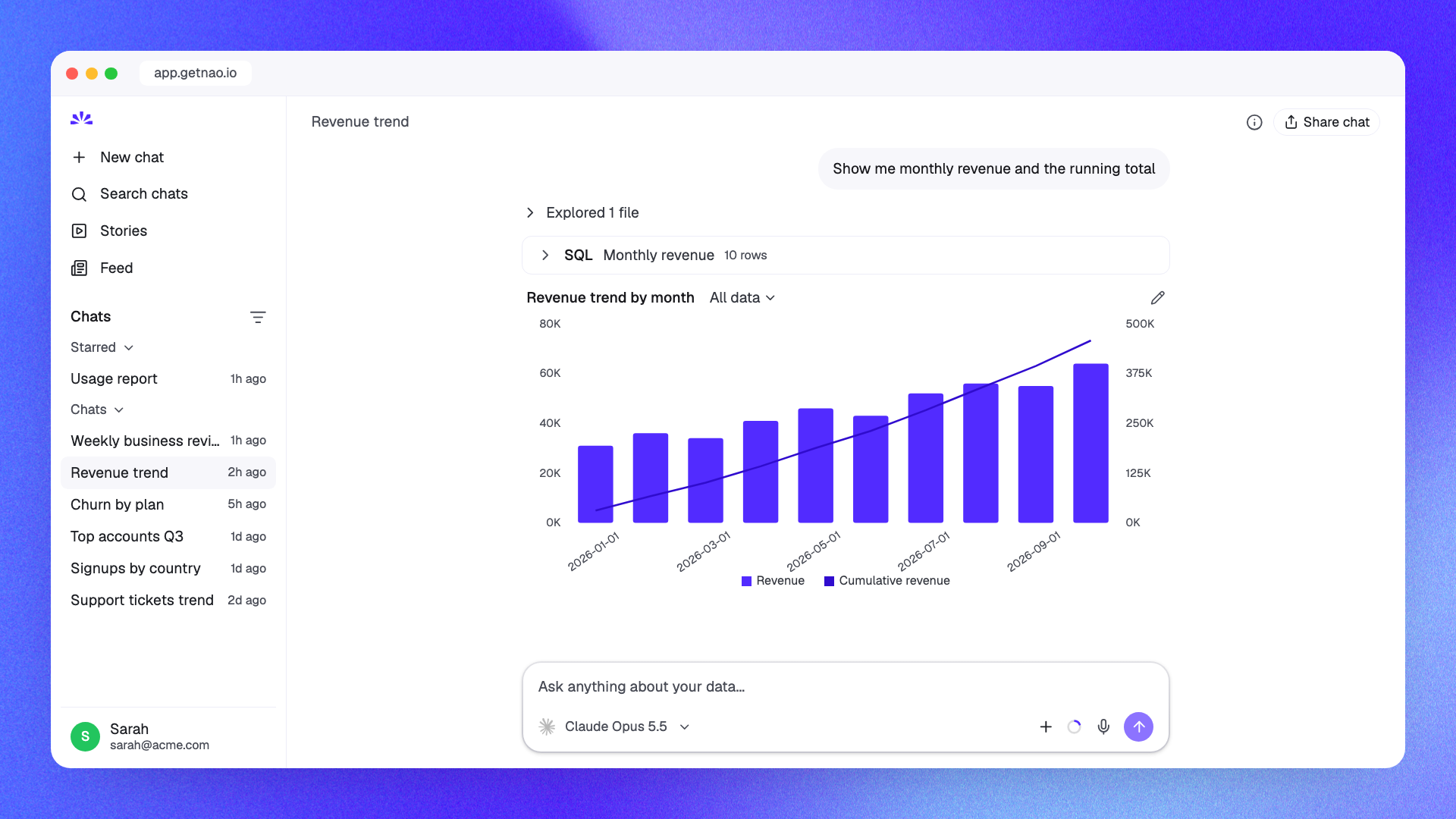
Or from wherever your team already works: Claude, Cursor and ChatGPT via the nao MCP, Slack, Teams, WhatsApp and Telegram.
Then invite the rest of your company. Everyone asks questions against the same governed context.
5. Build stories, interactive apps and slides
Anyone can turn a chat into a story: a shareable dashboard with live charts and narrative.
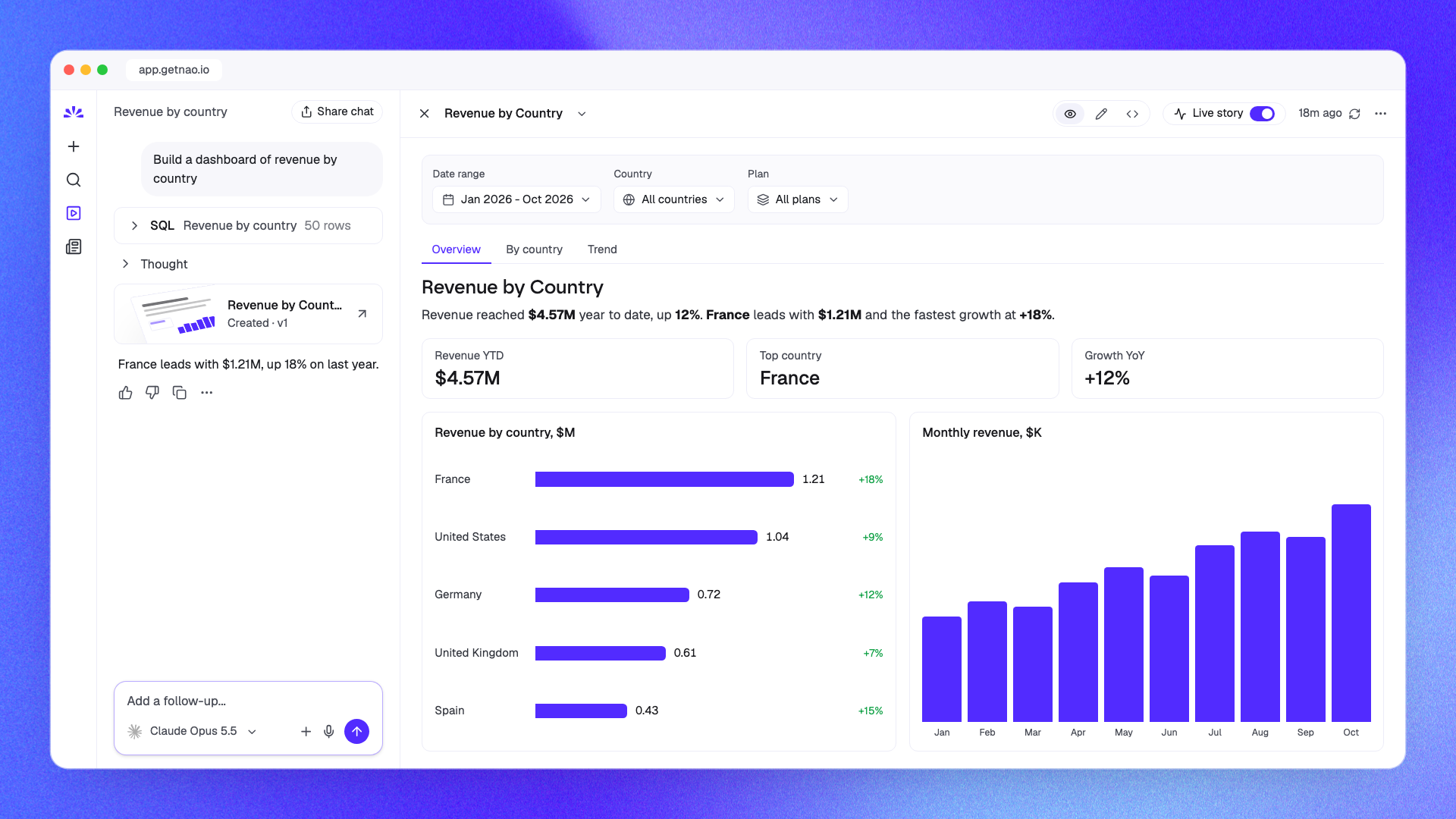
With custom stories, the agent goes further and builds interactive data apps and slide decks. Set a theme once (generate it from your website, an image, a PDF or your brand kit) and every one of them looks like your own internal app.
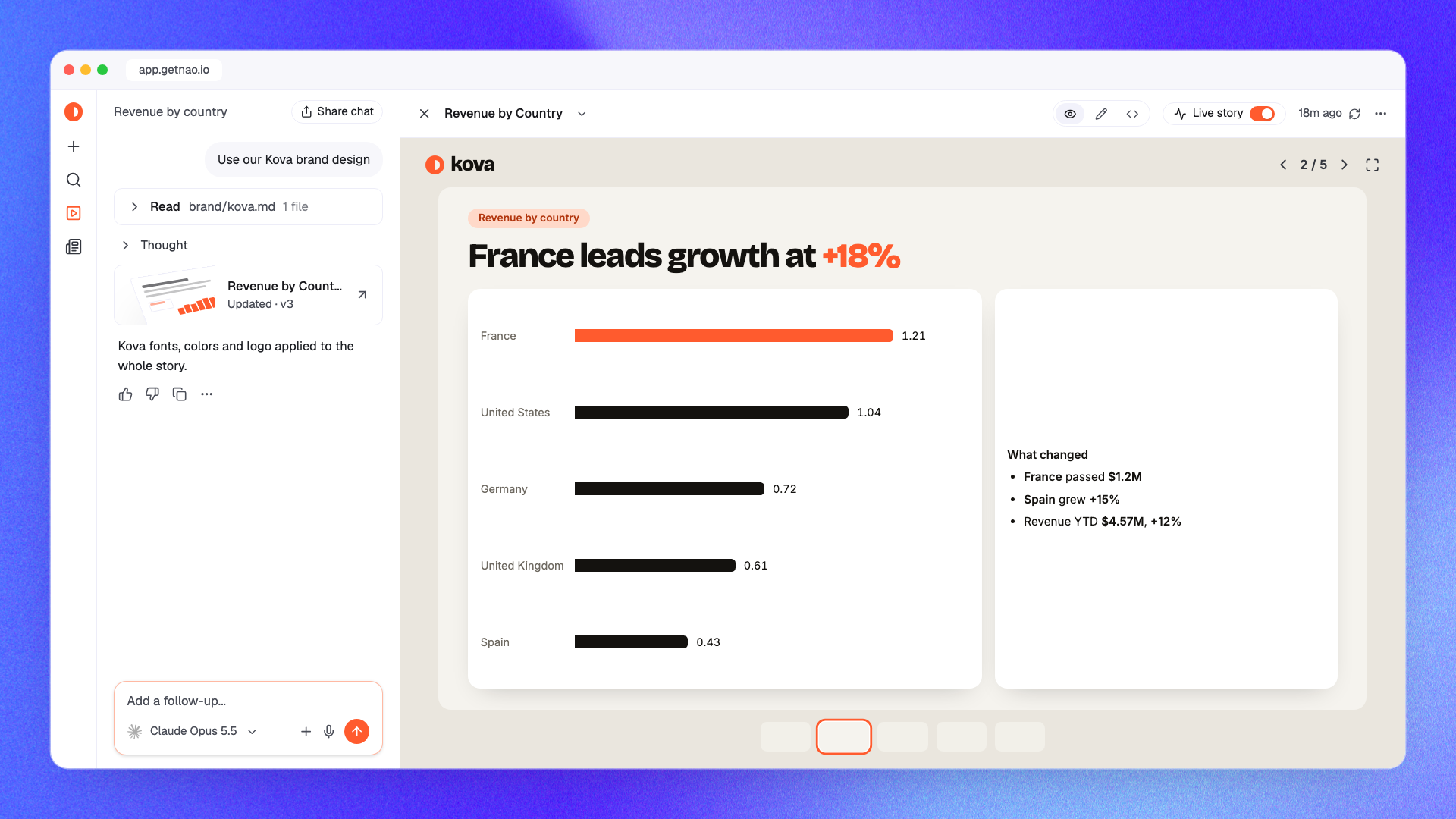
This is what we meant by an open-source alternative to Claude dashboards: same speed, but on your governed numbers.
6. Make sure your agent always gets it right
- Offline testing:
nao testruns your test questions against the agent before you ship a context change. How to improve your agent's reliability. - Online monitoring: context recommendations review real usage, flag missing or wrong context, and propose the fix.
Open source, always
nao is open source under Apache 2.0. nao Cloud is the fastest way in, not the only one.
- Prefer to build locally? Run
pip install nao-core, or let your own coding agent (Claude Code, Cursor...) set up the project for you: the onboarding gives you the exact prompt to paste. - Want to self-host? Deploy nao on your own infrastructure with Docker. Same product, your servers. Why we went open source.
At any time, you keep the flexibility of open source and the self-hosting option.
Start building
- Start for free: app.getnao.io/signup
- Join our next community hour: luma.com/75yjxhsl
- Docs: docs.getnao.io/nao-agent/cloud/get-started
- Star us on GitHub: github.com/getnao/nao
Related articles
Buyer's Guide
Open source alternative to Claude Dashboards
Claude Dashboards ties your BI to one agent harness. Here is the open source alternative: same dashboard, your context in Git, tested and observable.
insights
The Agentic Analytics Playbook is out
Learn how to choose your harness, build your context layer, plan your rollout, measure success, and get examples from 7 real-life companies.
product updates
nao has a new look
We rebuilt the nao interface from the ground up. New home screen, a prompt queue, visible agent reasoning, redesigned charts and stories.

Claire
For nao team